See everything Claude Code knows, uses, and remembers. My Claude reads your ~/.claude folder and lays it all out in one private dashboard, running entirely on your machine. No telemetry, no cloud. Nothing leaves unless you choose to push it to GitHub yourself.
$ curl -fsSL https://my-claude.pages.dev/install.sh | bash
Claude Code writes everything to ~/.claude, then gives you no way to look. So you keep asking:
My Claude reads all of it, and lays it out in one place.
No account, no config, no Docker. One command reads your local ~/.claude folder and serves a dashboard on loopback only.
Paste the install command into your terminal. It sets everything up for you, no manual steps.
curl -fsSL https://my-claude.pages.dev/install.sh | bashMy Claude indexes your skills, MCP servers, plugins, usage logs and conversation transcripts locally.
indexing ~/.claude ...Your browser opens the dashboard once the server is ready, bound strictly to loopback. Only you can reach it.
127.0.0.1:8766Real screenshots from the dashboard. This is what lands on 127.0.0.1:8766 after install.
Everything Claude Code stores on your machine, organized into views built for developers.
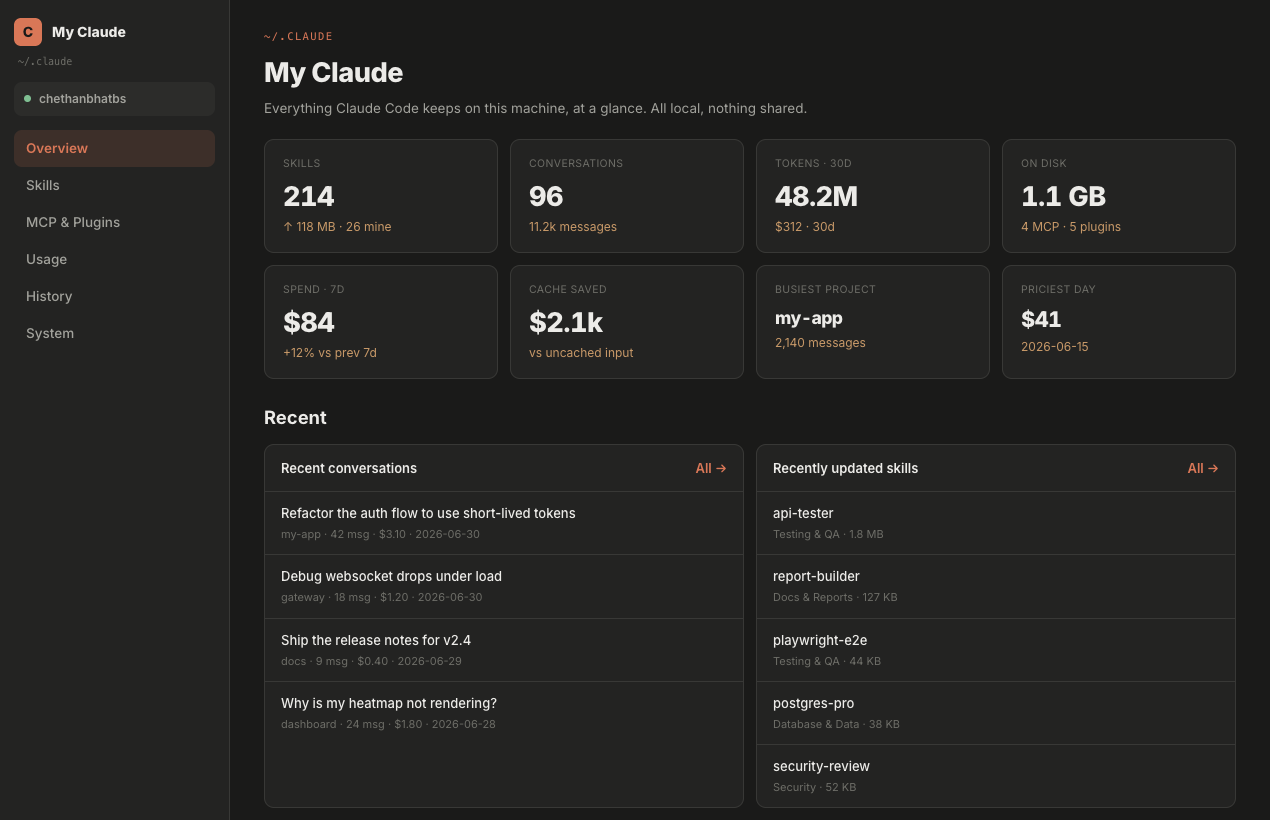
Skills count, conversations, 30-day tokens, disk footprint, spend trend, cache savings and your busiest project. All at a glance.
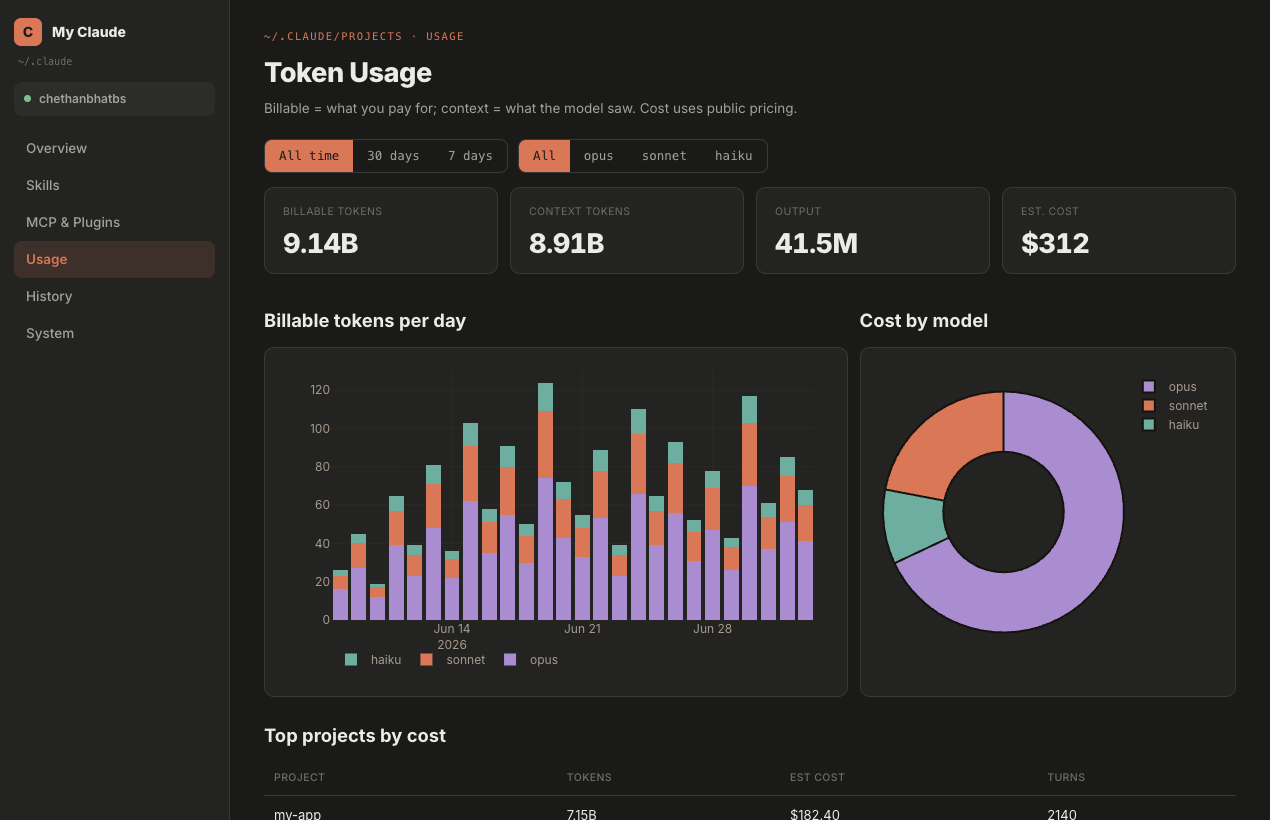
Billable vs context tokens, estimated cost with public pricing, per-day charts, cost by model and top projects by spend.
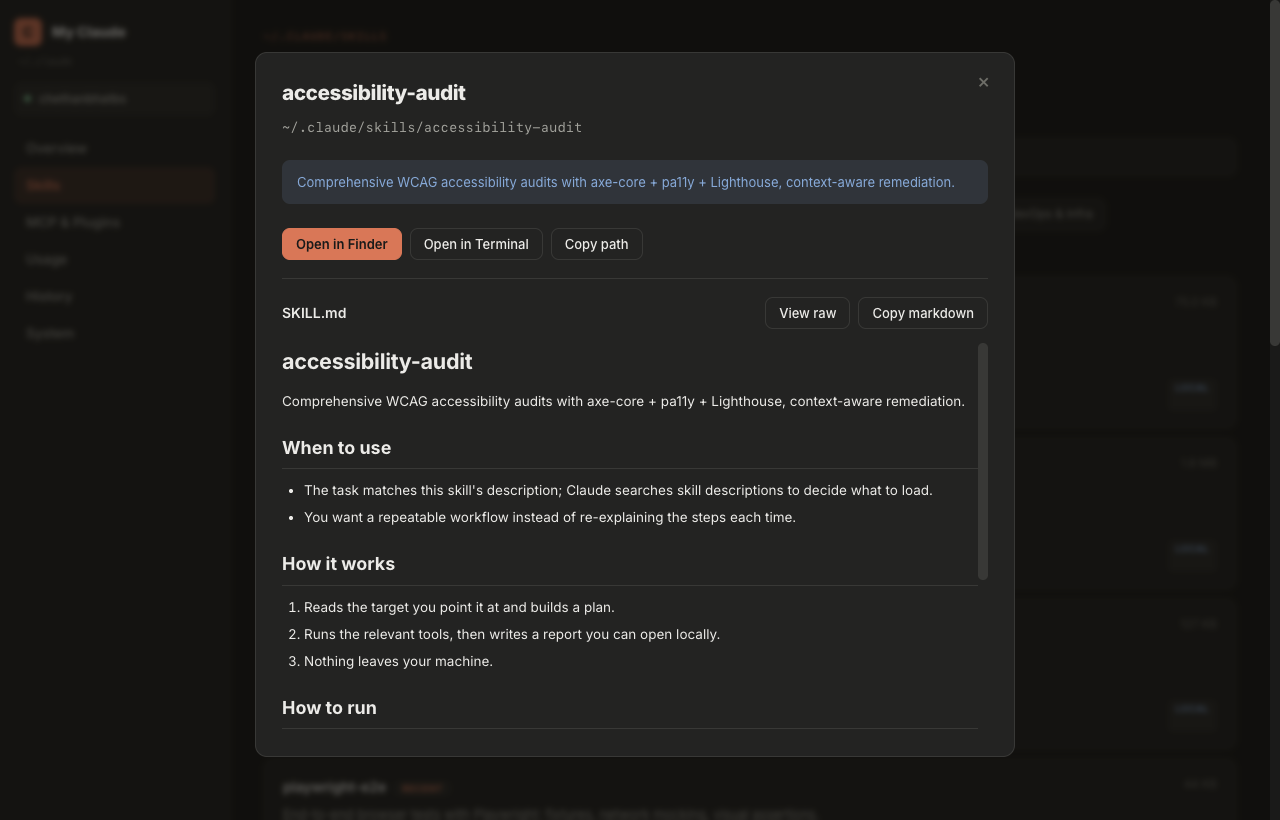
Every skill in ~/.claude/skills with rendered SKILL.md, size, category, and quick actions: open in Finder, Terminal, or copy path.
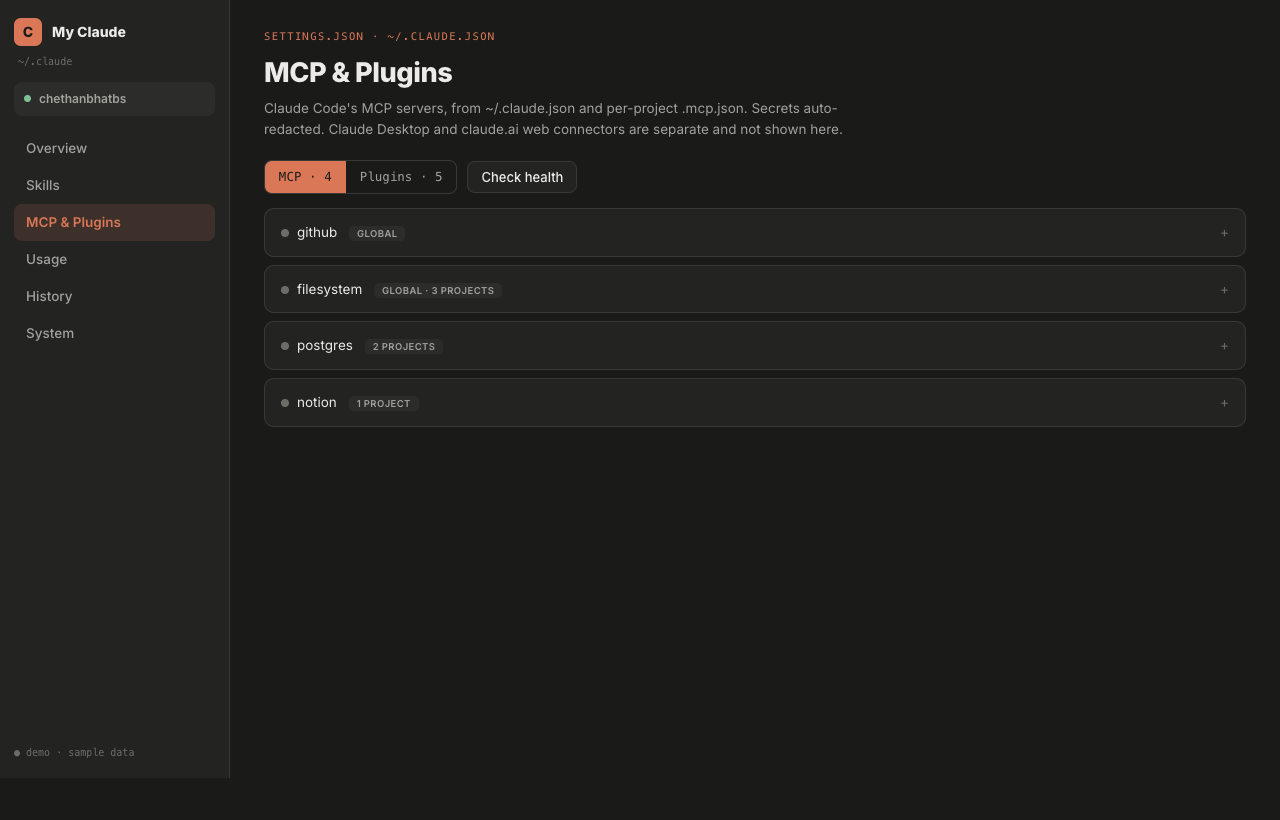
All MCP servers from ~/.claude.json and per-project .mcp.json, plus installed plugins. Secrets auto-redacted, health checks built in.
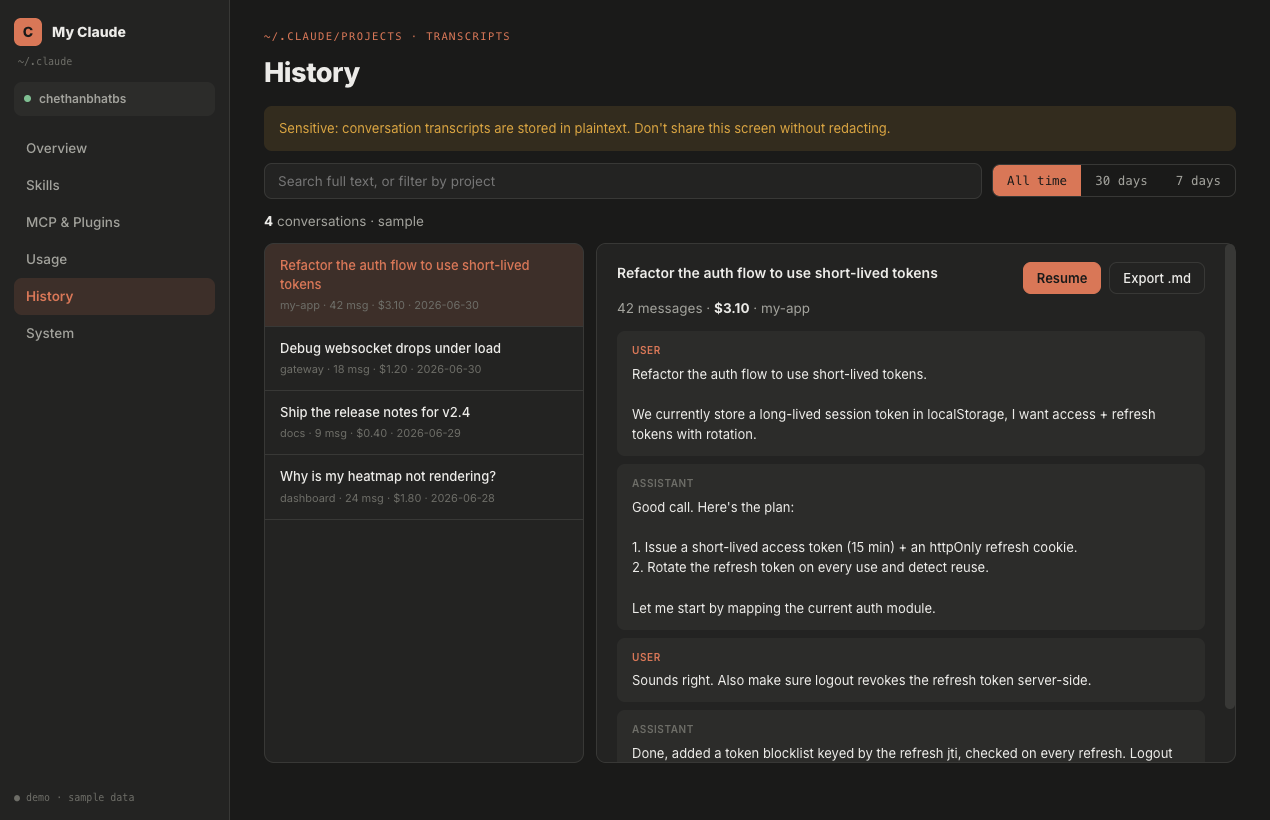
Full-text search across every conversation transcript. Filter by project or time range, resume a session, export to Markdown.
What is on disk, where it lives and what is safe to clean. Understand the 1 GB+ that ~/.claude quietly accumulates.
Your transcripts and usage data are sensitive. My Claude runs entirely on your machine and makes no calls on its own. The only data that ever leaves is what you explicitly push or share to your own GitHub. And you can verify every claim in the source.
One command. Twenty seconds. Your entire Claude Code footprint, readable at last.
$ curl -fsSL https://my-claude.pages.dev/install.sh | bash