Open source · MIT · Built for Claude Code users

Beyond the Terminal

See everything Claude Code knows, uses, and remembers. My Claude reads your ~/.claude folder and lays it all out in one private dashboard, running entirely on your machine. No telemetry, no cloud. Nothing leaves unless you choose to push it to GitHub yourself.

Local-first No telemetry No cloud Open source · MIT
bash · install my-claude
$ curl -fsSL https://my-claude.pages.dev/install.sh | bash
Opens at 127.0.0.1:8766 (or the next free port if it's taken).
First run sets up and indexes your ~/.claude, so give it up to a minute. If the browser briefly shows “site can’t be reached”, just refresh.
Requires Python 3.9+ on macOS.
127.0.0.1:8766/p/overview
My Claude dashboard, auto-playing walkthrough
// the problem

Sound familiar?

Claude Code writes everything to ~/.claude, then gives you no way to look. So you keep asking:

"Where's that conversation from last week?"
Buried somewhere in hundreds of transcripts.
"What skills do I even have installed?"
Dozens, and half of them forgotten.
"Where did my tokens go?"
Spend disappears into logs with no running total.
"Which project cost me the most?"
No breakdown, no ranking, no idea.
"How much did caching actually save me?"
Real savings, invisible unless something adds them up.
"Are my MCP connectors even working?"
Failures stay hidden until something breaks.

My Claude reads all of it, and lays it out in one place.

// how it works

From terminal to dashboard in about 20 seconds

No account, no config, no Docker. One command reads your local ~/.claude folder and serves a dashboard on loopback only.

STEP 01

Run one command

Paste the install command into your terminal. It sets everything up for you, no manual steps.

curl -fsSL https://my-claude.pages.dev/install.sh | bash
STEP 02

~20 second setup

My Claude indexes your skills, MCP servers, plugins, usage logs and conversation transcripts locally.

indexing ~/.claude ...
STEP 03

Dashboard opens

Your browser opens the dashboard once the server is ready, bound strictly to loopback. Only you can reach it.

127.0.0.1:8766
// the product

One view you can actually read

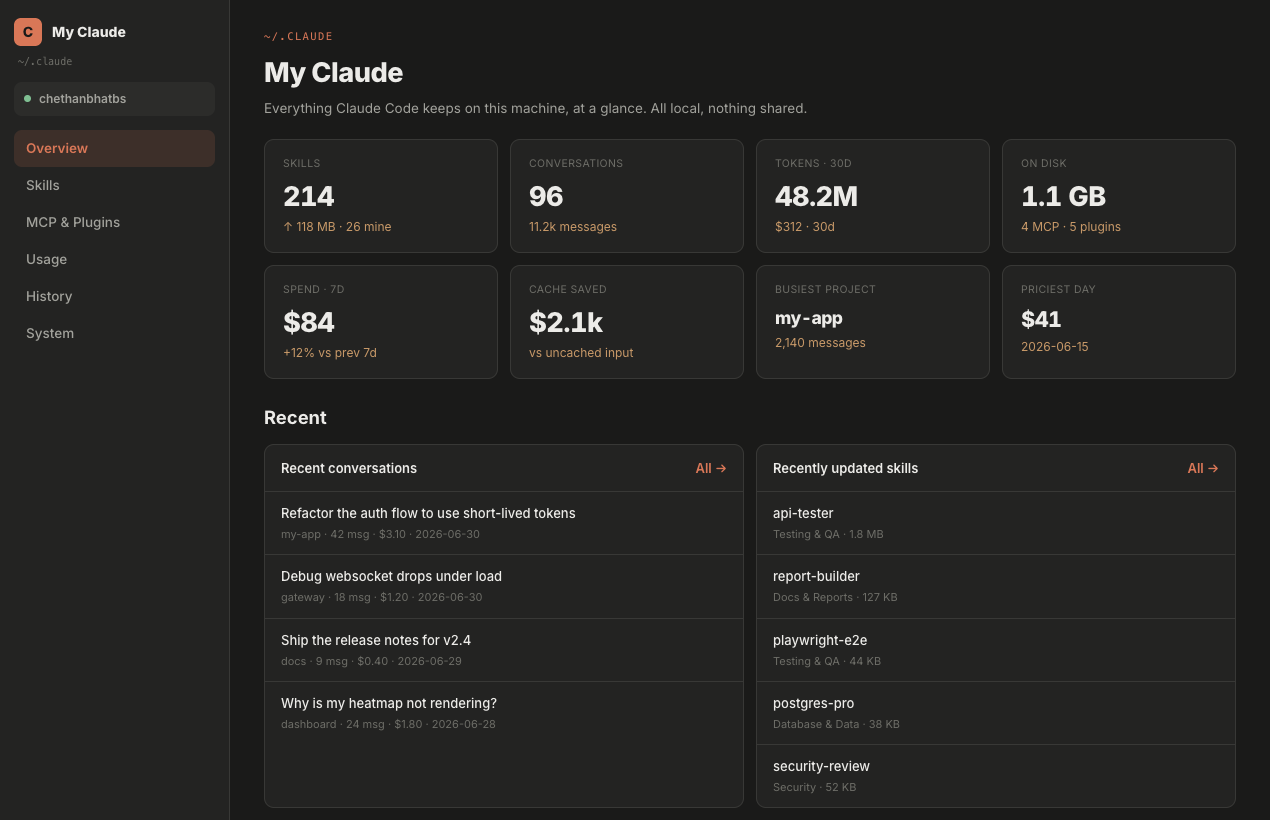
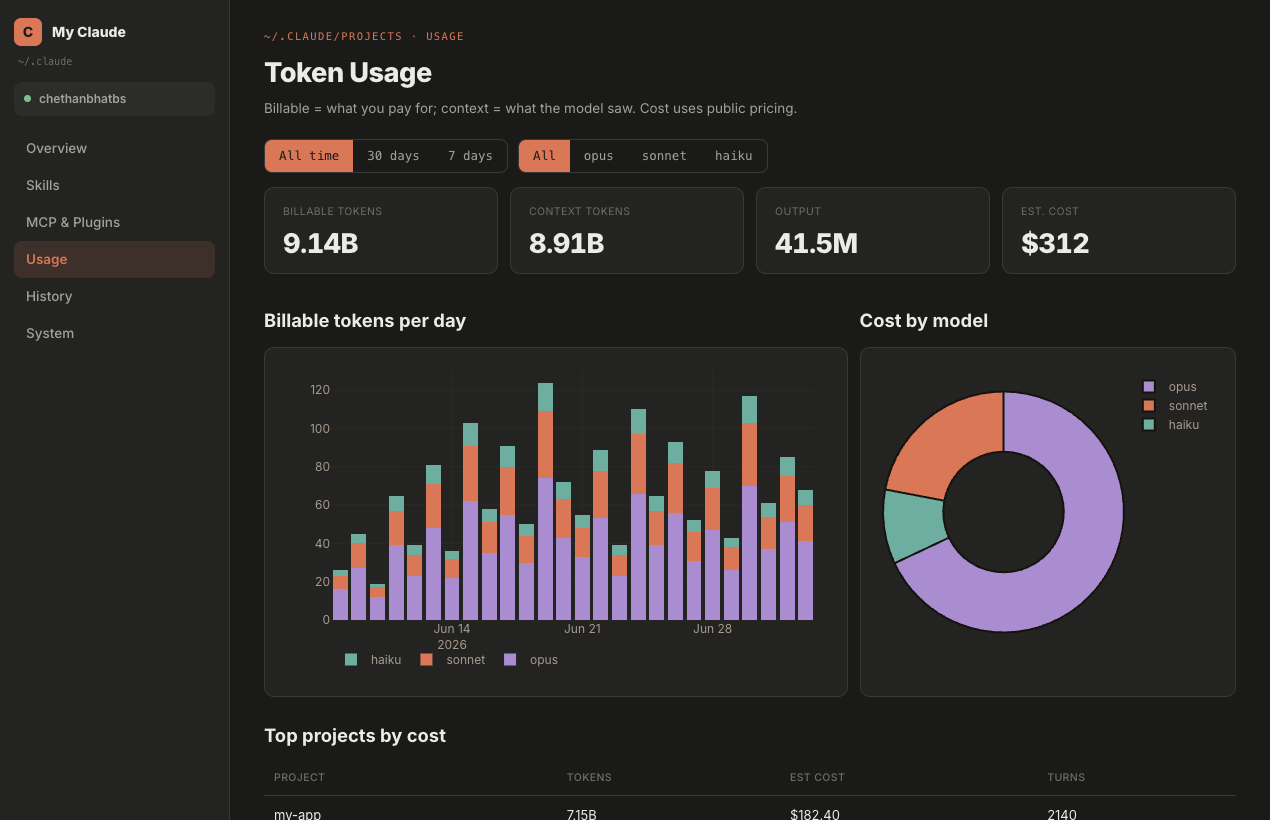
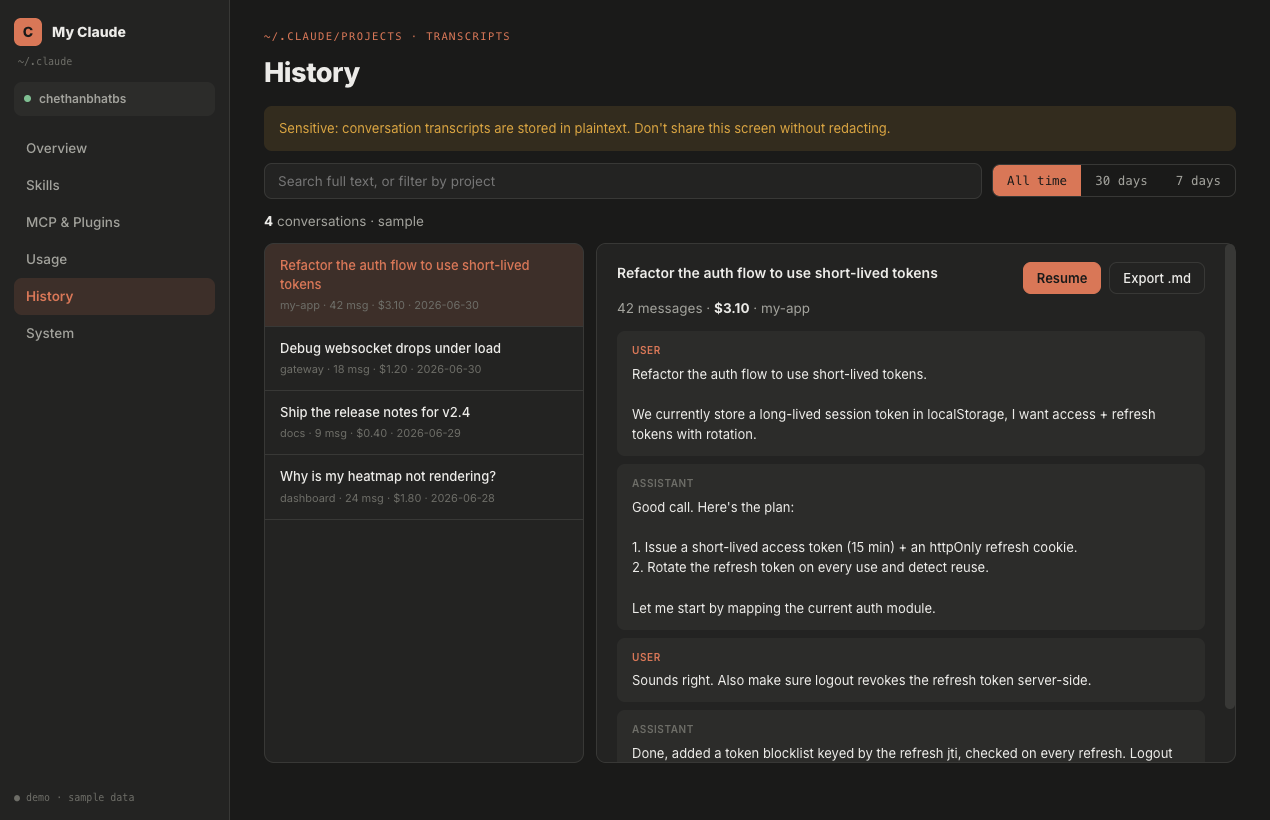
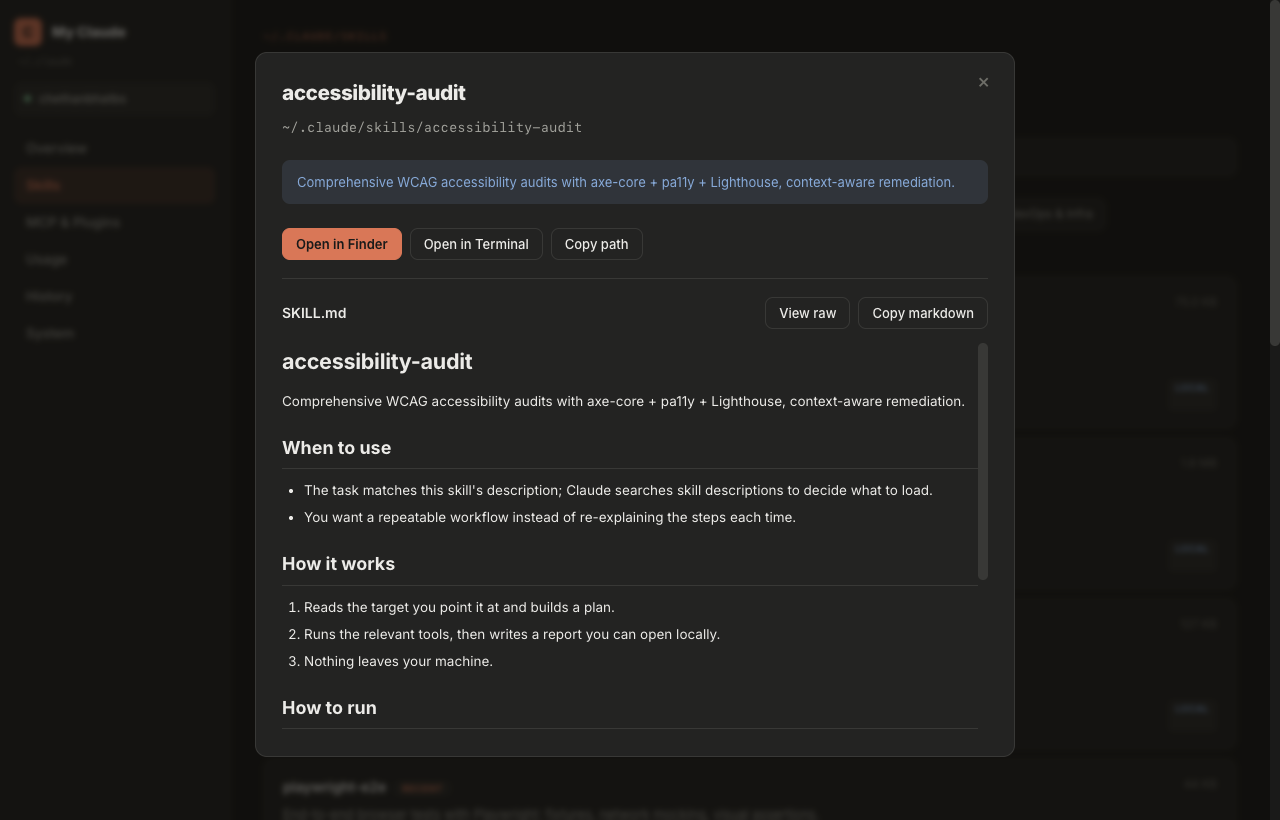
Real screenshots from the dashboard. This is what lands on 127.0.0.1:8766 after install.

My Claude dashboard screenshot
// what you get

Six sections. Zero guesswork.

Everything Claude Code stores on your machine, organized into views built for developers.

Overview

Skills count, conversations, 30-day tokens, disk footprint, spend trend, cache savings and your busiest project. All at a glance.

Usage & cost

Billable vs context tokens, estimated cost with public pricing, per-day charts, cost by model and top projects by spend.

Skills

Every skill in ~/.claude/skills with rendered SKILL.md, size, category, and quick actions: open in Finder, Terminal, or copy path.

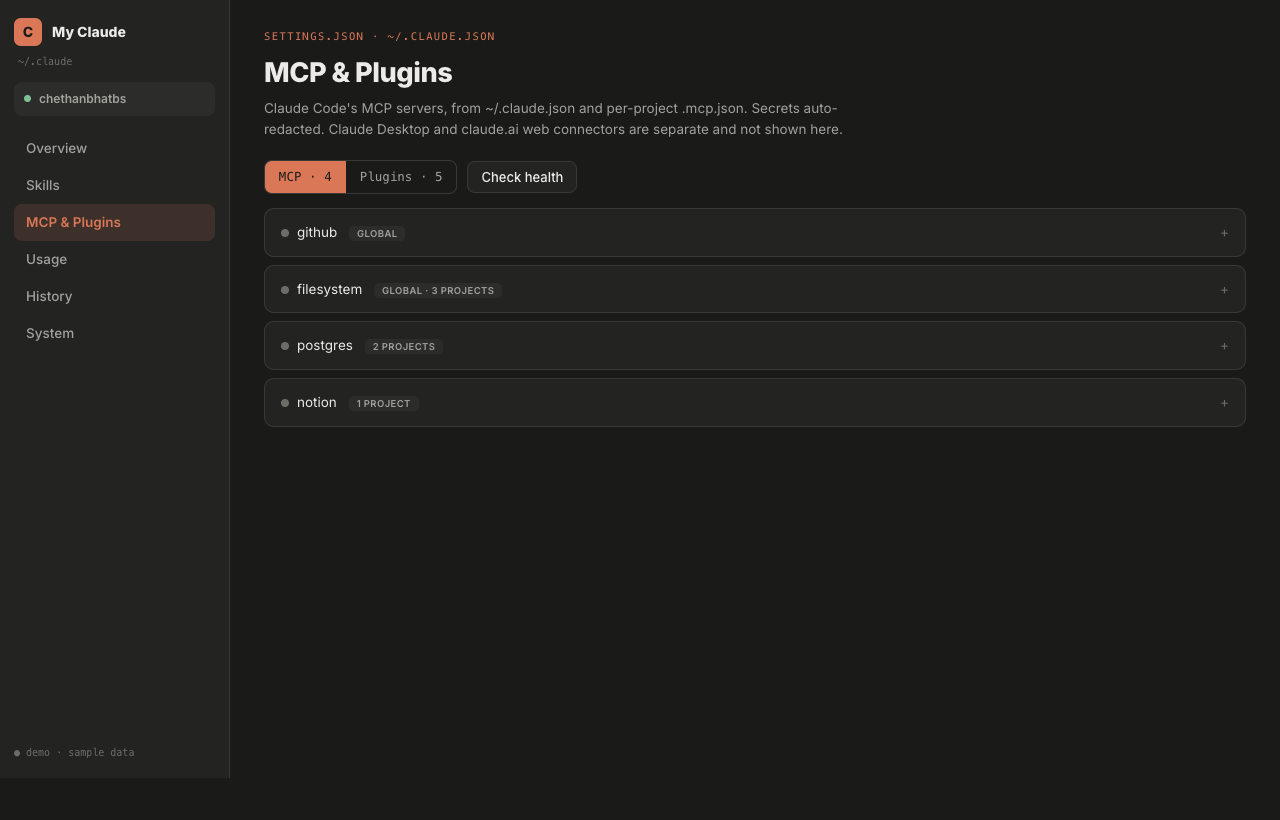
MCP & Plugins

All MCP servers from ~/.claude.json and per-project .mcp.json, plus installed plugins. Secrets auto-redacted, health checks built in.

History, searchable

Full-text search across every conversation transcript. Filter by project or time range, resume a session, export to Markdown.

System

What is on disk, where it lives and what is safe to clean. Understand the 1 GB+ that ~/.claude quietly accumulates.

// private by architecture

Local by default. You decide what leaves.

Your transcripts and usage data are sensitive. My Claude runs entirely on your machine and makes no calls on its own. The only data that ever leaves is what you explicitly push or share to your own GitHub. And you can verify every claim in the source.

server bind  127.0.0.1:8766 (loopback only)
automatic outbound calls  0
analytics / telemetry  none
license  MIT · audit the code yourself
  • Loopback onlyThe server binds to 127.0.0.1. It is unreachable from your network, let alone the internet.
  • No background callsNo telemetry, no cloud sync, no CDN pings, no update checks. Unplug your network and the dashboard works the same. The only outbound traffic is a GitHub push or share you trigger yourself.
  • Secrets auto-redactedAPI keys and tokens in your MCP configs are masked before they ever hit the screen.
  • Open source, MITEvery line is on GitHub. Read it, fork it, or strip out anything you do not like.
// get started

See what your ~/.claude has been hiding

One command. Twenty seconds. Your entire Claude Code footprint, readable at last.

bash · install my-claude
$ curl -fsSL https://my-claude.pages.dev/install.sh | bash
macOS · Python 3.9+ · uninstall any time